Free In-Browser Image Grid Splitter
About
Free In-Browser Image Grid Splitter
Cut your existing 2x2 or 3x3 contact sheets into individual PNG files directly in your browser. The process is completely free, keeps your files on your device, and requires no account or credit card.
How it works
How to cut your image grid
Every sheet is generated by an AI image model that uses your photo as a reference. It may change labels, shape, texture or fine details, so review each image before you use it in a listing or ad.
- 01
Load your file
Open [Product Grid AI](/) in your browser and select the square contact sheet you want to divide. Ensure your file is arranged in either a 2x2 or a 3x3 grid layout before loading it into the interface. The tool will prepare the image locally.
- 02
Select the grid size
Choose whether your loaded image is a four-panel or nine-panel grid. The tool will immediately process the image directly in your browser, cutting the sheet into separate pieces based on your selection. This step requires no server uploads and happens instantly.
- 03
Download the images
Review the separated images on your screen. You can download the specific PNG files you need individually, or click the ZIP download button to save all the cropped images to your computer at once. The files are now ready for your project.
- 04
Generate more sheets
If you need more images, you can generate a new square contact sheet from one product photo. Select Soft studio, Botanical, or Bold geometry. This costs 250 credits, and the new sheet can be split into separate PNG files just like your existing grids.
Each sheet costs 250 credits ($1), and a one-time $5 purchase covers 5 sheets with no subscription. Confirmed failed generations return their credits.
Image Grid Splitting Capabilities
Learn how the tool processes your contact sheets into individual files.
Free Processing
Splitting a 2x2 or 3x3 sheet you already have is completely free. You do not need to purchase credits or set up a FloatPass account to cut your existing contact sheets into separate PNG files. The tool handles the splitting process without charging you for the extraction of your images. You can process as many existing sheets as you need without ever making a five dollar purchase or dealing with any subscriptions.
In-Browser Privacy
The entire splitting process stays in your browser. When you load a contact sheet to divide it into four or nine pieces, the file is not sent to a remote server for processing. This means your original images remain on your computer at all times. This provides a highly secure way to cut unreleased product photos or private contact sheets into individual PNG files without worrying about data privacy or slow internet uploads.
2x2 Grid Extraction
If you have a square contact sheet containing four images, the tool will cut it into a 2x2 layout. This operation results in four completely separate PNG files. Each extracted image represents exactly one quarter of the original sheet. You can then download these four individual files to your device. You can click to save them either one by one, or package them together in a single ZIP file for easier file management.
3x3 Grid Extraction
For square contact sheets containing nine images, the tool divides the file into a 3x3 layout. Each crop of a 3x3 sheet has exactly one third of the original sheet's width and height. Because the tool divides the original pixel dimensions by three, the resulting nine PNG files are not full resolution compared to the original composite image. They are smaller segments perfectly suited for secondary displays or quick reference files.
PNG and ZIP Downloads
After the tool cuts your contact sheet, you receive your separated images as standard PNG files. You have the option to download each crop individually by selecting the specific images you want to keep. Alternatively, you can download all four or nine separated PNG files at once. By choosing the ZIP file download option provided by the tool, you can save the entire batch of split images directly to your local storage folder.
AI Generation Option
While splitting your own files is free, you can also generate new product grids. Generating one square contact sheet from one product photo costs 250 credits. A five dollar one-time purchase through FloatPass covers five sheets, with no subscription required. You can choose from Soft studio, Botanical, and Bold geometry visual directions. If the system encounters an error, confirmed failed generations return their credits to your balance so you can try again.
Common uses for the grid splitter
Social media carousels
Social media managers often receive composite contact sheets from designers. Instead of posting one dense square, you can use the in-browser tool to cut a 2x2 sheet into four separate PNG files. This allows you to post the images as a multi-image carousel. Separating the grid increases audience engagement and provides more content without needing complex photo editing software or expensive subscriptions.
E-commerce product listings
Store owners sometimes receive product photography as a single 3x3 grid showing different angles. By splitting this sheet, you get nine individual PNG files. Each crop has one third of the sheet's width and height. While not full resolution, these smaller crops are often sufficient for secondary thumbnail images on a product page, saving you the hassle of manually cropping each angle.
Client presentations
Freelancers who present logo concepts or design variations often format them as a 2x2 grid for initial review. When the client selects a specific direction, you can quickly cut the original contact sheet in your browser. This allows you to isolate the chosen design and send it as a separate PNG file for the next round of revisions without opening heavy design software.
Ad campaign testing
Marketers testing different visual directions, such as Soft studio or Bold geometry, might generate composite grids. To run A/B tests on individual concepts, you must separate the grid. The splitter cuts the contact sheet into individual PNG files, allowing you to upload each variation as a distinct advertisement. You can then download them as a ZIP file to keep your campaign assets organized.
Mood board extraction
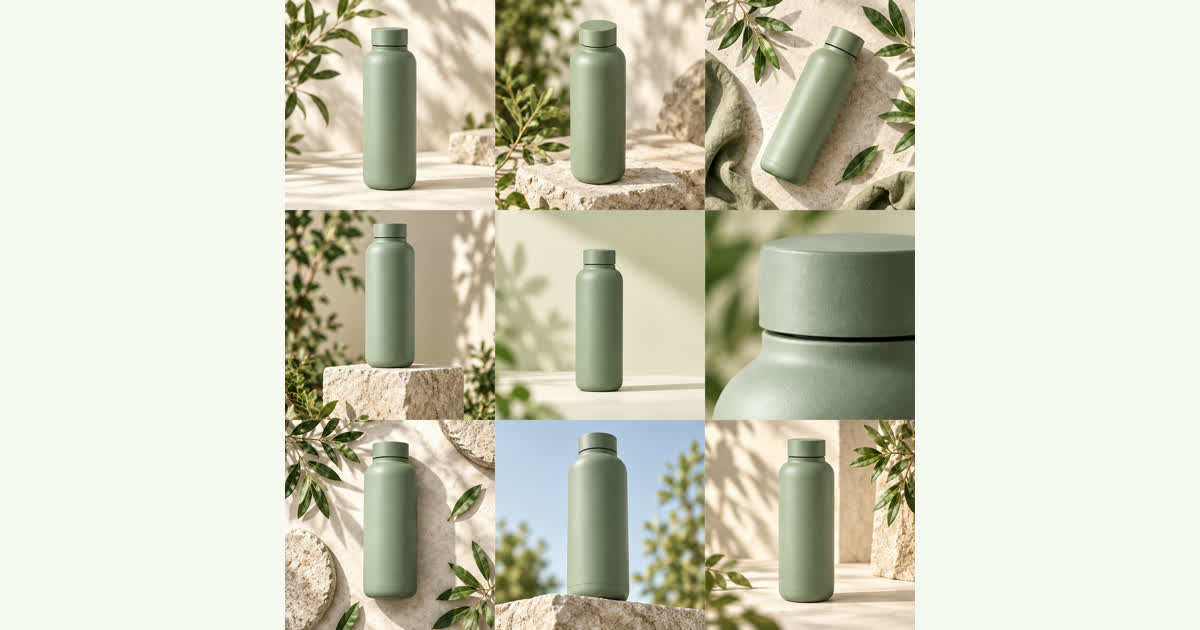
Designers building mood boards sometimes find a 3x3 collage of Botanical references. To use just one or two specific images from that collage in a different presentation, you can split the whole sheet into nine pieces. You then download only the specific PNG files you need for your new project. The process stays in the browser, keeping your workflow fast and efficient.
Your uploads
How your product photos are handled
Photos are uploaded only when you sign in and generate, and they are used to create your contact sheet. The privacy policy has the full notice.
Read the privacy policyIs there a cost to split my own image grids?
No, splitting a 2x2 or 3x3 sheet you already have is completely free. You do not need to make a purchase or use credits to cut your existing contact sheets. The tool only charges 250 credits if you choose to generate a new product photo grid using the AI features. You can split as many of your own files as you want without ever reaching for your wallet or setting up a FloatPass account.
Do I need to upload my files to a server?
No, the splitting process stays entirely in the browser. When you select a contact sheet to divide into separate PNG files, the image is not uploaded to our servers. All the cutting happens locally on your device. This ensures your original photos remain private and the process is incredibly fast. You do not have to wait for large files to transfer over your internet connection just to cut a 2x2 or 3x3 grid.
What file format will my separated images be?
The tool cuts your contact sheet into separate PNG files. Once the 2x2 or 3x3 grid is divided, you can download these PNG files individually by clicking on the specific crops you want to keep. If you prefer to download all the cropped images at the same time, the tool will package the PNG files into a single ZIP file. This makes it easy to store and organize your newly separated image assets.
Will the cropped images be the same resolution as the original?
No, the crops are not full resolution. When you cut a 3x3 sheet, each resulting crop has exactly one third of the original sheet's width and height. Similarly, a 2x2 sheet yields crops that are half the width and half the height of the original file. Because the tool divides the original pixel dimensions, the individual PNG files will always be smaller in resolution than the composite contact sheet you started with.
Can I generate new product grids if I do not have one?
Yes, you can generate one square contact sheet from one product photo. This process costs 250 credits per generation. You can choose from three distinct visual directions: Soft studio, Botanical, and Bold geometry. A five dollar one-time purchase via FloatPass covers five sheets, and there is no ongoing subscription required. Once your new sheet is generated, you can use the free in-browser tool to cut it into individual PNG files or download a ZIP.
What happens if an AI generation fails?
If you choose to spend credits to generate a new product grid and the process fails, you will not lose your money. Confirmed failed generations return their credits directly to your account balance. If you experience repeated issues, you can email contact@productgridai.com. You can then use those 250 credits to try generating your contact sheet again. This ensures you only pay for successful generations of your Soft studio, Botanical, or Bold geometry concepts before cutting them into separate PNG files.
How do I pay if I want to generate new grids?
Payments for generating new contact sheets are processed securely through FloatPass. You can make a five dollar one-time purchase to get enough credits for five sheets. There are no ongoing subscriptions required to use the service. Remember that splitting existing 2x2 or 3x3 sheets remains completely free and stays in the browser, so you only need to use FloatPass if you are actively generating new product photos from a single source image.
Contact
Split your contact sheet today
Cut your 2x2 or 3x3 image grids into individual PNG files directly in your browser for free.