
The product photo contact sheet
AI Soft Studio Product Photography Maker
Upload a single product photo to generate a contact sheet with a soft studio look. The tool creates a square grid of advertising concepts that you can split into separate PNG files right in your browser.
Your next set of shots
Botanical · 3 × 3 · 9 crops · PNG
Choose a product photo, or try a sample.
My creations ↗One bottle. Nine directions.
BOTANICAL / 3 × 3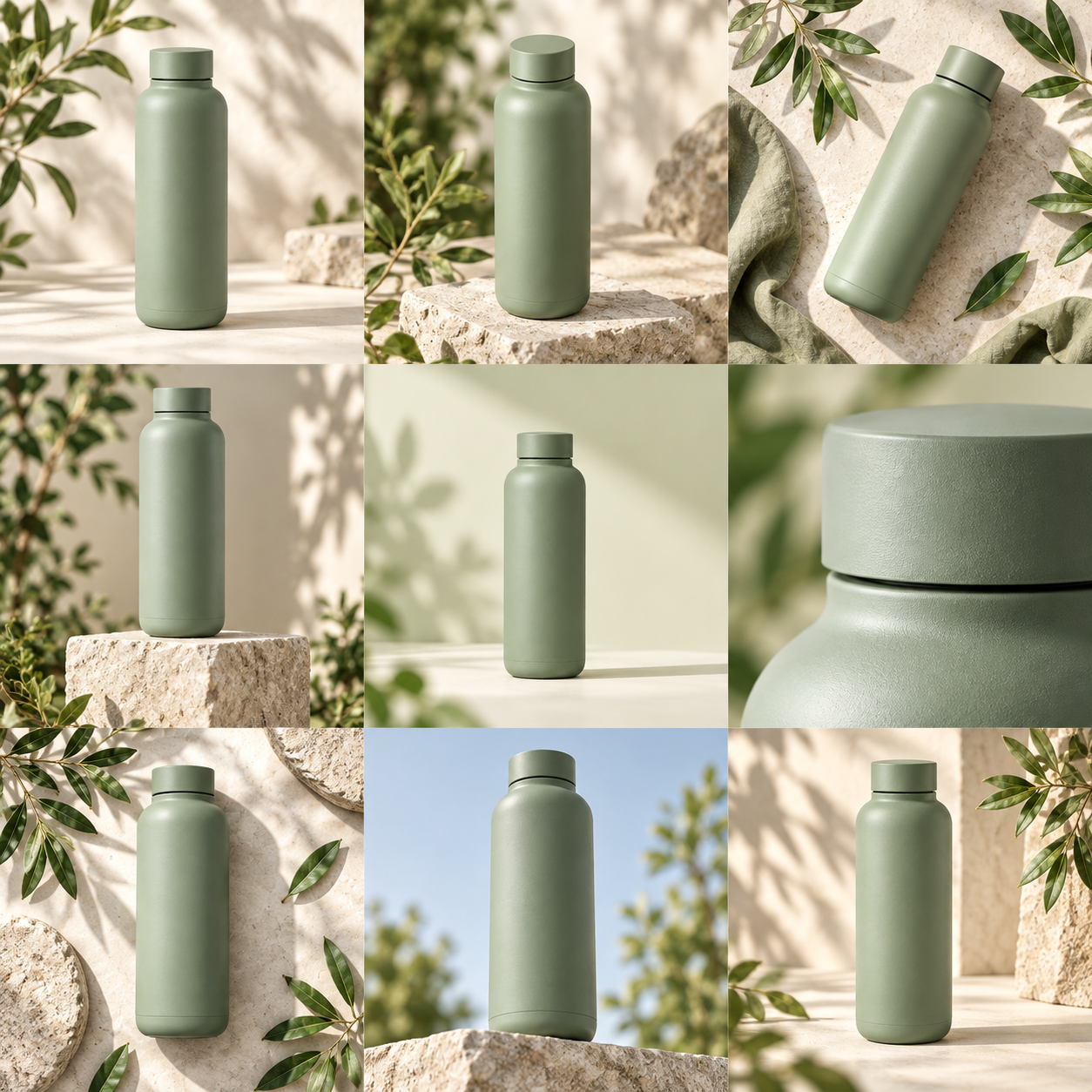
Start with your product
One clear photo on a simple background. Shape and color come first.
See the possibilities together
Choose four or nine concepts. Compare light, props and composition at a glance.
Keep what works
Review product details, then download the sheet, a single image, or your picks as a ZIP.
Five sheets. Fresh possibilities.
One purchase, no subscription. Each run makes one sheet, then four or nine crops.
Tools for soft studio product photography
Turn your basic product photo into a set of soft studio compositions.
Choose your visual direction
Choose the soft studio visual direction for your item. You do not need to write complex text prompts or build expensive physical sets. The tool takes your single uploaded product photo and applies a soft studio look to generate a complete square contact sheet. You can also select the botanical or bold geometry directions if you want to test and compare different aesthetics for the exact same item. This saves you time when you need professional results.
Generate multiple concepts at once
Generate multiple advertising concepts at once. Each generation makes one square contact sheet containing either four or nine distinct concepts. The sheet is cut into four separate images in a two-by-two grid, or nine separate images in a three-by-three grid. This allows you to review several soft studio compositions from a single generation and choose the specific image that fits your current project requirements. Comparing these options side by side helps you find the perfect angle.
Split sheets directly in your browser
Split your generated contact sheet directly in your browser. The tool cuts the single square sheet into individual PNG files automatically, so you do not need separate photo editing software. If you already have a two-by-two or three-by-three sheet from another source, splitting it into separate images is completely free. This process stays entirely within your browser and does not consume any of your generation credits. You get immediate access to your separated files quickly.
Manage your budget with credits
Manage your budget with a simple credit system and absolutely no subscriptions. Each generation costs exactly 250 credits and makes one square contact sheet from one product photo. A $5 one-time purchase covers five sheets. Payments are processed securely through FloatPass. If a generation fails and is confirmed as a failure, the system returns your credits so you can try again without paying twice.
Download your final concepts easily
Download your final soft studio concepts easily. Once the tool cuts the square contact sheet into a two-by-two or three-by-three grid, you can download the individual crops as standard PNG files. You can save a single specific image that you like, or download all of the separated images at once in a single ZIP file to keep your new advertising concepts organized on your computer.
Understand your image resolution
Understand the exact resolution of your cropped images before you generate. When you choose the three-by-three grid option, the tool cuts the main square contact sheet into nine pieces. Each crop of a three-by-three sheet has exactly one third of the original sheet's width and height. Because of this division, the individual crops are not full resolution compared to the complete original contact sheet.
How to generate a soft studio look
Upload your product photo
Upload one product photo to the tool. Choose the soft studio visual direction from the available options. You can also select botanical or bold geometry if you decide to try a different look for your advertising concepts.
Generate your contact sheet
Spend 250 credits to generate your square contact sheet. The tool will process your single product photo and create a grid of advertising concepts based entirely on the soft studio direction you selected during the setup.
Divide the generated sheet
Choose how to divide the generated sheet. Select either a two-by-two grid to get four images or a three-by-three grid to get nine images. The tool cuts the sheet into separate PNG files right in your browser.
Download your new images
Download your soft studio images to your device. You can click to save the individual PNG files you want to keep, or download a single ZIP file containing all the separate crops to use for your project.
Ways to use soft studio product images
Update e-commerce listings
Update your online e-commerce store listings with a consistent soft studio look. Store owners can upload a basic product photo and generate a two-by-two contact sheet. After the tool cuts the sheet in the browser, you can download the four PNG files and add them to your product gallery to show different soft studio compositions to your customers.
Create social media posts
Create a large batch of images for your upcoming social media schedule. A marketer can spend 250 credits to generate a three-by-three sheet from one product photo. The tool splits it into nine separate PNG files. Even though they are not full resolution, these smaller crops provide multiple soft studio concepts perfect for daily social media posts.
Prepare email campaigns
Prepare professional visuals for an upcoming email marketing campaign. A brand manager can generate a soft studio contact sheet and download the individual crops in a ZIP file. You can then select the strongest composition from the four or nine options to feature as the main header image in your weekly customer newsletter.
Divide existing contact sheets
Divide contact sheets you already own from previous projects. If a designer has a previously made two-by-two or three-by-three product image grid, they can use the tool to split it. This process is completely free, stays in the browser, and quickly separates the grid into individual PNG files without requiring a new $5 purchase.
Present concepts to clients
Show various advertising concepts to a client during a pitch. An agency can upload a client's product photo, apply the soft studio direction, and generate a sheet for 250 credits. They can download the ZIP of separated PNG files and place the different soft studio compositions into a presentation deck for the client to review.
A few things to know.
How much does it cost to generate a soft studio contact sheet?
Each generation makes one square contact sheet from one product photo and costs exactly 250 credits. You can make a $5 one-time purchase, which covers five sheets. There is no subscription required to use the tool, so you only buy credits when you need them. View our [Pricing](/pricing) page for details. All payments are handled through FloatPass.
What visual directions can I choose for my product photo?
The tool offers three specific visual directions for your product photography. You can choose the soft studio look, the botanical look, or the bold geometry look. You select one of these directions before you spend your 250 credits to generate the square contact sheet from your single uploaded product photo.
How does the tool cut the generated contact sheet?
The tool cuts the square contact sheet into separate images right in your browser. You can choose to cut the sheet into four separate images in a two-by-two grid, or nine separate images in a three-by-three grid. The resulting cropped images are provided as standard PNG files for you to download.
Are the cropped images from a three-by-three sheet full resolution?
No, the cropped images from a three-by-three sheet are not full resolution. Because the tool divides the single square contact sheet into nine pieces, each crop of a three-by-three sheet has exactly one third of the original sheet's width and height. Keep this size reduction in mind when choosing your grid layout.
Do I have to pay to split a contact sheet I already have?
No, splitting a two-by-two or three-by-three sheet you already have is completely free. The splitting process stays entirely in your browser and does not cost any of your purchased credits. You can upload your existing grid, and the tool will cut it into separate PNG files for you to download.
What happens if my soft studio generation fails?
If you attempt to generate a soft studio contact sheet and the process fails, you will not lose your money. Confirmed failed generations automatically return their 250 credits to your account. You can then use those returned credits to try generating your product photography advertising concepts again.
How do I download the images after the sheet is cut?
Once the tool cuts your square contact sheet into a two-by-two or three-by-three grid in the browser, you have two simple download options. You can click to download the individual PNG files one by one, or you can download a single ZIP file that contains all of the separated images.
What languages does the product photography tool support?
The website and tool currently support two languages. You can use the interface in English (en) or Chinese (zh). If you need assistance with your generations, credit purchases, or have questions about the soft studio look, you can reach out to support by sending an email directly to contact@productgridai.com.